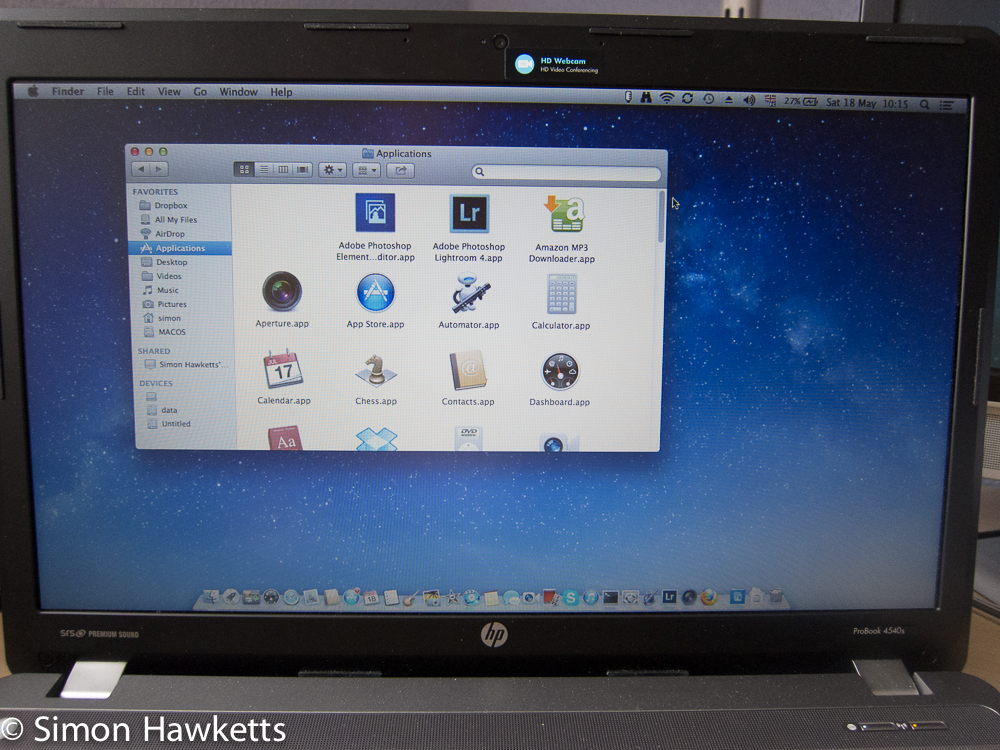
OK - this blog is titled 'Simon Hawketts's Photo Blog' but I do have other interests and this post (or probably series of posts) is not a photo related post but an IT related post.
I bought a new Laptop a month or so ago as a replacement for my aging HP 8710W which was getting a bit long in the tooth. I looked around for a new model which would allow me to try out something I'd wanted to do for a while, which is install OS-X on some standard PC hardware. This would allow me to run my Mac based Photo applications when I'm away from home without having to pay a lot of money for an Apple machine. After a bit of research I ordered an HP probook 4540s which has a hardware spec similar to an apple MacBook and should allow me to install Mountain Lion on it. I bought this from EBuyer in the UK and got an i5 Ivy-Bridge model with 6G RAM and a 750G hard drive. The supplied Operating System is Windows 7 Pro.
First steps
I haven't recent experience of using any version of Windows. The last version I regularly used was Windows 95 and it was so bad I switched to Slackware linux soon after. I've been fortunate that every job I've had in the last 20 years has allowed me to run Linux in various flavours, so I've become pretty familiar with installing distributions from gentoo to ubuntu but I've not installed Windows since I regularly used it. Fortunately it isn't difficult and an hour or so after receiving the Laptop I had Window 7 running. The first thing I did was try to create a re-install dvd since I knew that I'd need to re partition the disk in order to install OS-X and Linux.
The HP utilities which come with this laptop includes a program to burn an installation DVD from the installed OS. This was where my first set of problems started (and reminded me of why I left Windows all those years ago). The program errored because it needed to burn more than the capacity of the dvd and couldn't create a second image. I tried using an 8Gb usb flash drive but that failed as well, and then the option to create the install disk disappeared from the program menu. It seems you can only make one copy of the re-install dvd and the program thought I'd successfully done this. I assume that the limit of one disk is to stop people making lots of copies and giving them away, but this sounds a bit brain dead since anyone can copy a dvd, and the Windows software itself is activated to prevent piracy.
Now having Windows installed on the laptop wasn't actually a big deal for me; I'll probably never boot into it but I did have to pay for it and there is one situation where it would be necessary to run it. If anything ever goes wrong with the hardware I would only be able to talk to HP about it if i could prove it wasn't working under Windows. For this reason I contacted HP support, via the built in chat function to see what they could do. I have to say HP were very helpful and after a bit of exchange to prove the laptop model and version of Windows installed, they agreed to send a set of install disks. It only took about 3 days for the disks to turn up so I was set to remove all the HP installed bloat and various partitions they set up for recovery etc and move to a more sane disk partitioning.
Partitioning and installing OS-X
Having received the set of Windows media I started to repartition the disk suitable for my intended triple booting Windows, Linux and OS-X setup. Because I wanted to use efi for boot I ended up with the following Disk partitions
- EFI Boot partition of 100Mb formatted to fat32
- 100G Windows 7 NTFS partition
- 100G Linux EXT4 partition
- 10G Linux Swap partition
- 120G OS-X HPFS+ partition
- 420G NTFS Data partition
This arrangment was set up to allow me to install each of the three operating system I intended to install and a data partition which could be accessed from any OS. I set the data partition up as NTFS simply because that had the best possibility of having drivers. Linux can easily access any disk format, so that wasn't a problem, but I assumed that neither OS-X or Windows would be able to read/write an ext4 partition.
Once I had the partitions setup (which of course destroyed the windows 7 install) I started on the main install process. The first OS I installed was Windows 7 since I assumed that it would be easier to add everything else to a boot menu after windows. This install was pretty un eventful although long winded as the machine had to reboot multiple times and do a load of updates which also involved rebooting. All the driver updates and installs seemed to take an age as well so it was about two hours later that the machine was running again with Windows 7 as the primary operating system.
I then started installing OS-X using a bootable USB stick which I'd prepared using the utilities from the tonymac site using a copy of Mountain Lion I'd purchased for my iMac. (Just to be clear bothe OS-X and Windows were installed in MBR mode).
The OS-X install procedure is well documented on TonyMac and it worked pretty well. I had to use a start up switch of UseKernelCache=no GraphicsEnabler=no -r -f to get the installer to run, but once I was into the installer screen the rest worked pretty well.
The only part of the hardware I had initial problems with was the wifi / bluetooth module fitted to the Probook 4540s doesn't work with OS-X. To get the network running I initially had to use a wired connection to get the apps I'd installed on the iMac copied down from the app store. Once OS-X was installed and running, I bought an Edimax EW-7811UN usb wifi dongle from amazon for about £10 to get wifi running. It was quite a thrill to see OS-X running on the laptop for the first time !
Next I'll post about Linux, efi, clover bootloader and more !
Comments (9)
Comments (1)
Comments (1)
Comments (1)